Here we have listed all the things that
must be properly done for the safe root of your android. Therefore,
before rooting your android device must read and implement the thingstoavoidmishappening. Android
rooting is the process of allowing users of Android Phones, tablets,
and other devices running the Android mobile operating system to get the
full control and authority within Android’s system. When you root an
Android smartphone it enables you to act as the administrator of the
android phone. And there are lots of more things that user can do after
rooting android. Therefore, if you are going to root your android device
then have some patience and firstly read the things that you have to do
before rooting your android device. As if anything went wrong while
rooting your android them your device will get bricked and you then have
to either rush to the service center or will need to flash stock ROM.
So protection is better than cure. So have a look on all those things
below.
Android
rooting is the process of allowing users of Android Phones, tablets,
and other devices running the Android mobile operating system to get the
full control and authority within Android’s system. When you root an
Android smartphone it enables you to act as the administrator of the
android phone. And there are lots of more things that user can do after
rooting android. Therefore, if you are going to root your android device
then have some patience and firstly read the things that you have to do
before rooting your android device. As if anything went wrong while
rooting your android them your device will get bricked and you then have
to either rush to the service center or will need to flash stock ROM.
So protection is better than cure. So have a look on all those things
below.
Android
rooting is the process of allowing users of Android Phones, tablets,
and other devices running the Android mobile operating system to get the
full control and authority within Android’s system. When you root an
Android smartphone it enables you to act as the administrator of the
android phone. And there are lots of more things that user can do after
rooting android. Therefore, if you are going to root your android device
then have some patience and firstly read the things that you have to do
before rooting your android device. As if anything went wrong while
rooting your android them your device will get bricked and you then have
to either rush to the service center or will need to flash stock ROM.
So protection is better than cure. So have a look on all those things
below.
Here I have listed all the things that
must be properly done for the safe root of your android. And if you
follow all these then you can simply root your device without facing any
trouble during the complete process. So proceed with all these methods
below.
#1 Take Complete Backup Of Your Android Data

Rooting Android will have processes like
factory resetting and that will delete all your data, so to avoid it
you must firstly take the complete backup of your android data and also
the app data and for that, you can follow our post where we have listed Top 8 Best Android Apps To Backup/Restore Data.
#2 Enough Battery Before Rooting

Android rooting process will lead to
lots of battery consumption and if low battery interrupt the process
then your android can be bricked so better is to have enough battery
backup before rooting it. And the battery must be charged up to 80%.
#3 Necessary Drivers For Your Android In Your PC

Any rooting tool that works on your PC
to root your android will only work perfectly if the respective
android’s USB drivers are installed on that PC. So before proceeding for
rooting search on the internet for your make of your android.
#4 Better Know About Your Android Model Details
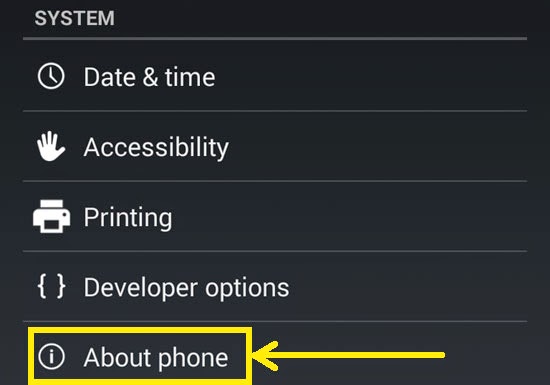
While rooting you will come across need of files like SuperUsersu and
much more that is different for every model of android. And if you
flash any wrong file then it will damage your android stock ROM and your
device will get bricked. So better to know about your android model to
get the correct files for it.
#5 Learning how to get into Stock Android Recovery.
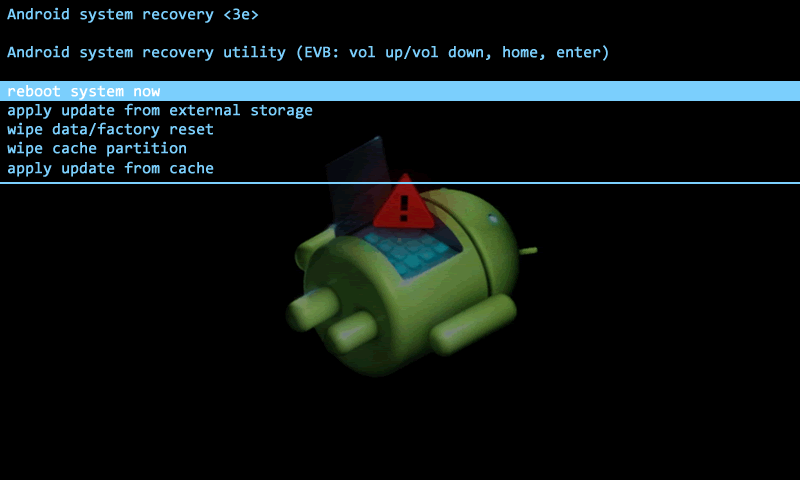
Getting into Android Stock Recovery is
easy and you can do that with few button combinations like pressing the
power key, Volume + and Home button simultaneously. So you should learn
how to get into stock Android recovery before you root your device. This
is to make sure that if anything wrong happens then you can wipe your
phone.
#6 Restore Smartphone’s Firmware
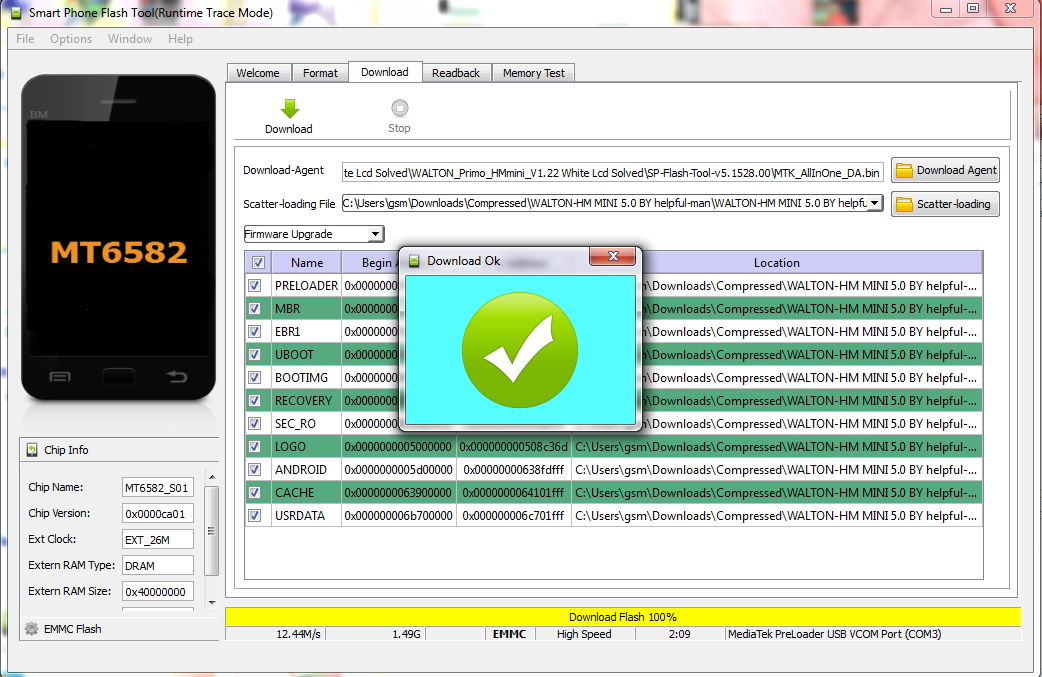
Restoring Smartphone’s firmware is the
best thing you can do before rooting because if something went wrong,
you will always have the option to go back to how you were before. There
were different software available on the internet like Odin etc. The
software depends on what phone you have.
Also Read: How to Take Lens Blur Photo With Your Android Camera
#7 Disable Antivirus And Firewall in your PC
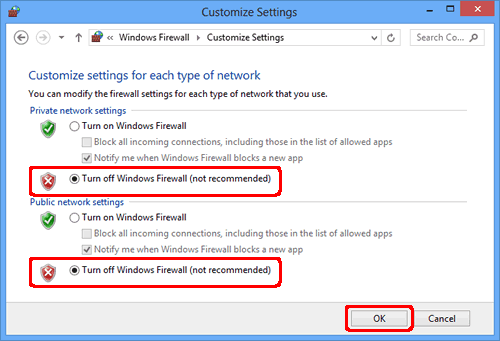
Programs like antiviruses and firewall
can interrupt the rooting process and that can brick your android
smartphone. So better is to turn them off before proceeding with
rooting.
#8 Methods For Recovering If Your Device Get Bricked

Before rooting you must know the method
to how to unbrick your android device as if your device got brick then
your android will only stick to boot animation and it will take the
longer time to rush to customer service center to get your device
flashed. So better is to know the method to Unbrick your android and
that you can search on google and get all the important files before
rooting so that you can Fix it by your own.
#9 Choosing Out The best Way To Root
Now proceeding to the main part that is the best way to root your android and that you can get by following our post later on.
#10 Method To Unroot Android After Rooting
Rooting voids the android warranty and
also expose your android for certain security threats and if you want to
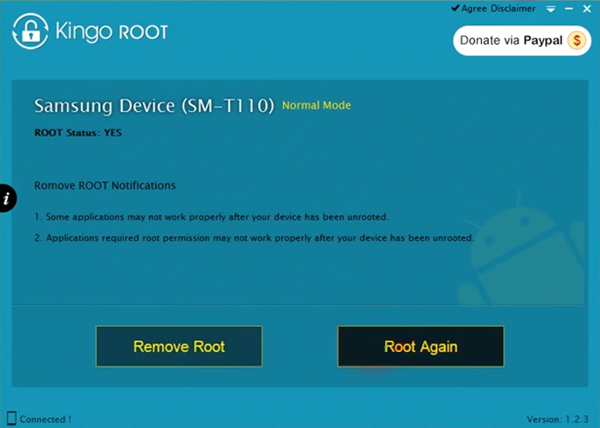
Unroot your android then you can simply go to Your SuperUser or Kinguser app and then restrict all permissions or your can either flash your stock ROM. Kingo Root offers the feature to Remove Root.
Comments
Post a Comment