Today we are here
with some amazing tips and tricks for Android Google Maps app that you
might not have tried till now, these tricks will help you in navigation
and automating your routing tasks with great ease and also some of the
additional features that you don’t even know these app can do.
Google Maps is one of the best
navigation services that you can ever find on the internet as through
this service, one can easily find up the most accurate locations of
nearby hotels, laundries, parks, restaurants, stations and much more
easily. With all its features, you can also remain updated about the
routes and the places and not only that, you can also do all that at
very high speed ( It matters a lot ). Although till now the Google maps
is full of all the needed potential that anyone can tend to get from any
navigation service but still you can try to boost it’s valued to
another level so as to get more and more out of it much easily. You can
put on some tricks and tips to boost up the Google Maps on Android and
get out more benefits from this service, to know about some of the best
tricks and tips for Google Maps on Android head towards the article
given below.
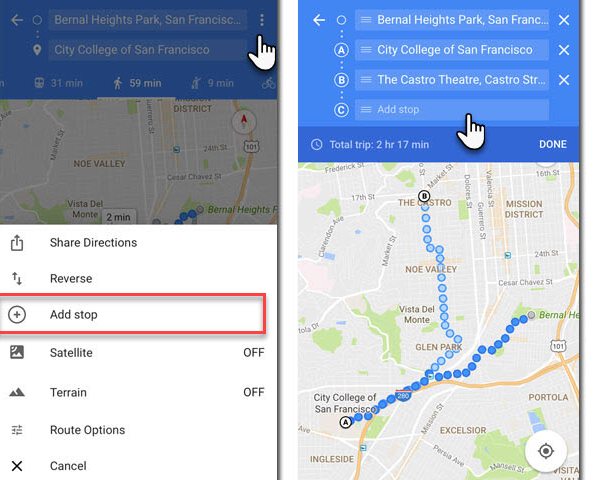
#1 Adding Multiple Stops to your Route
Google Maps Tips and Tricks
You can use the Maps to enter your current location and your
destination and the Google Maps will automatically get up the route for
your destination. If you want to go through some alter ways or through
some fluctuated way out then you can also reorder your route by using up
the three-dot menu and then selecting the hamburger icon under it. Drag
and rearrange your route after that.
#2 Get on Street View
Google Maps Tips and Tricks
Long tap on the location which you want to see in street view while
using Google Maps on mobile devices, then tap once on the card menu that
appears below on the screen and then choose up the location picture.
The street view can actually give you more detailed look of the place
and hence help you lots to find your exact destination.
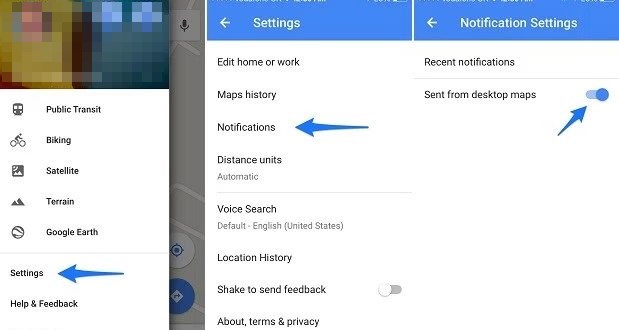
#3 Send directions (PC to Phone)
Tips and Tricks for Google Maps On Android
Sign into your Google Account on your PC and then open up the Google
Maps, find up the directions for your route or for any place and then
from the options on the card menu you can send up that particular route
to your mobile device by clicking on ” Send to Device”.
You know that moving through Maps feel lots easier on PC’s big screen
than on smartphone so you can use this feature to find the exact route
and location of any place and then send all that data to your
smartphone’s Google Maps.
#4 Use Google Now Commands
Google Maps Tips and Tricks
While driving the car, you may find it very difficult to keep in
touch with the Google Maps on your smart device (if your car doesn’t
have GPS, Maps) as you cannot give it up the commands. But there is the
thing that can make your task much easier, just speak up the Google Now
commands to the Google Maps on your mobile device and it will follow
these all.
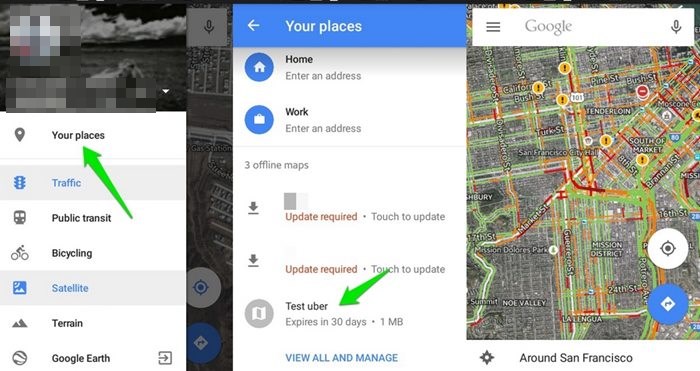
Tips and Tricks for Google Maps On Android
Do you know that you can easily download up to the loaded maps for
using in-network ban conditions or for much fast and flexible surfing as
nothing can be fast than offline browsing. So just download up to the
map for your route and then access it offline, you can save lots of time
by doing so.
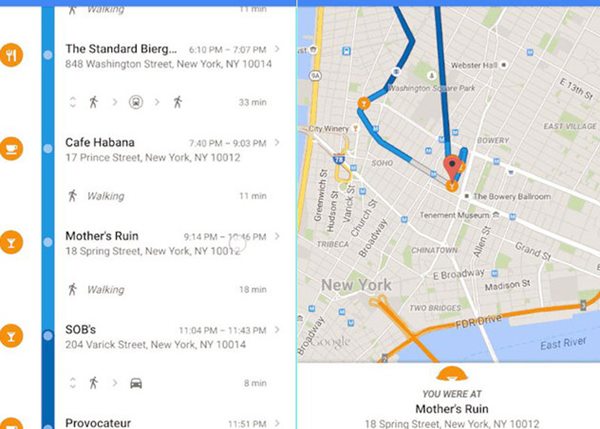
#6 Track Visited Locations
Google Maps Tips and Tricks
While using up the Google Maps, it constantly traces your visited
locations and saves them to your timeline. This could be very helpful
for you too if you get lost in the middle of the route while going to
your destination. To recheck your visited places, go to your timeline
from the hamburger menu (slide it from the left edge of the screen).
#7 Zoom Easily
Google Maps Tips and Tricks
Zooming into the map is quite helpful but the thing that could be
causing the smooth experience with the maps is the way by which it could
be done in the Google Maps. To get the Zoom functions into action
fastly and easily, just double tap with any finger and hold the finger
on the screen, now move that finger up or down to zoom in or out of that
particular location where you tapped.
#8 See Your Speed & Speed Limits
Tips and Tricks for Google Maps on Android
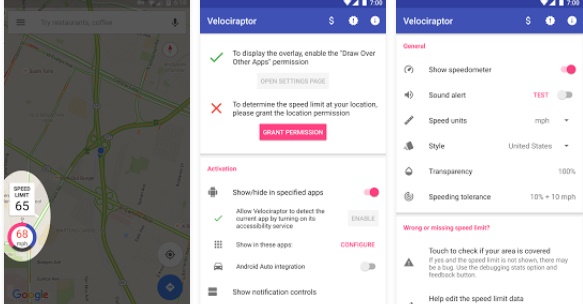
With Google maps app in your Android, you can also check the speed of
your current vehicle and also the speed limit of the road and for that,
you need an additional third party app to be installed on your Android
phone for this. And the app that you will install in your device is Velociraptor – Map Speed Limit. Use this app and have fun with your Google maps with speed indicators.
#9 Plan Trips With Google Maps
Tips and Tricks for Google Maps on Android
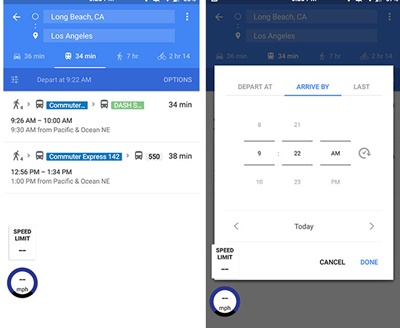
Now you can easily check the public traffic status when you are
planning for any trip as your Google maps will help you in this. You
just need to navigate to public transportation tab, then tap the “Depart At”
button and there you can set the arrive at and you can easily check the
traffic and other related things. So must try this out today.
#10 Navigate Inside Malls
Tips and Tricks for Google Maps on Android
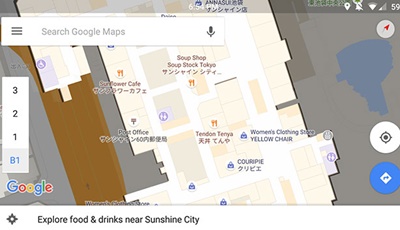
With Google maps, you can even navigate inside malls and easily find
the places for food, shopping and all other with the app you just need
to zoom into the mall’s area to get the whole details of the present
architectures.




Comments
Post a Comment